Per-project-type templates
Set up Residential, Commercial, Industrial — or your own. Edit once, reuse on every job.
bomm's digital O&M manual ensures compliance and on-time delivery — eliminating the stress, the resource drain, and the last minute scramble of collating documents by hand.
We build your templates and set the project up with you — no configuration to work out on your own.
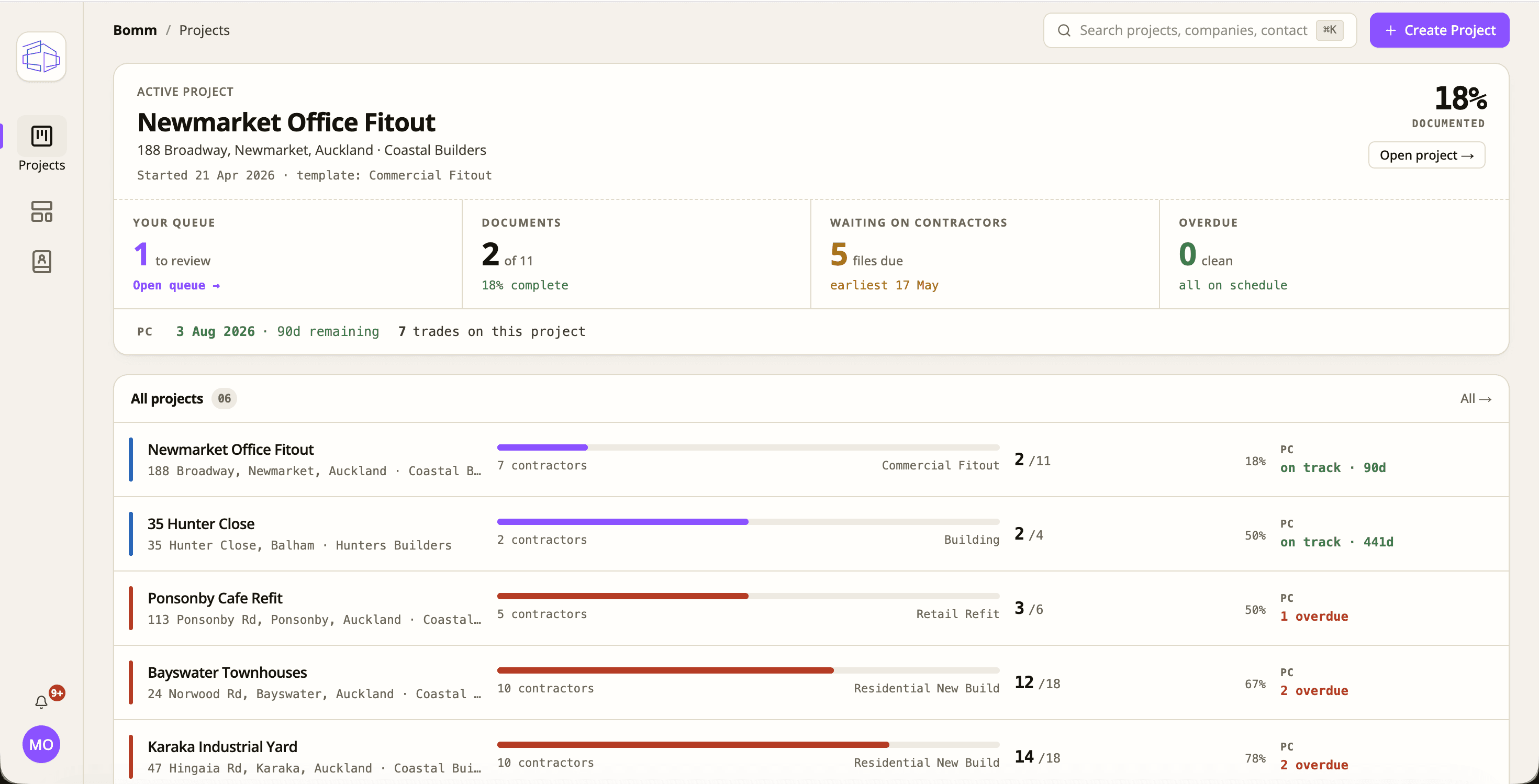
Building Operation and Maintenance manuals form a critical part of the handover and the ongoing building lifecycle. Too often they land below client expectations and fall short of regulatory compliance.
The handover stage is where every detail matters — and often, it's where projects face the greatest challenges.
When documentation falls short, the result can be delays, disputes, and damage to reputation. As expectations rise and regulatory pressure increases, contractors need a more effective way to manage documentation handover.
Residential, commercial, industrial — or one we build with you. Each template defines the documents you need from each trade: warranties, certificates, manuals, photos.
Email each subcontractor and supplier the list of what you need from them. One link sets up their portal — no app to download, no software to buy.
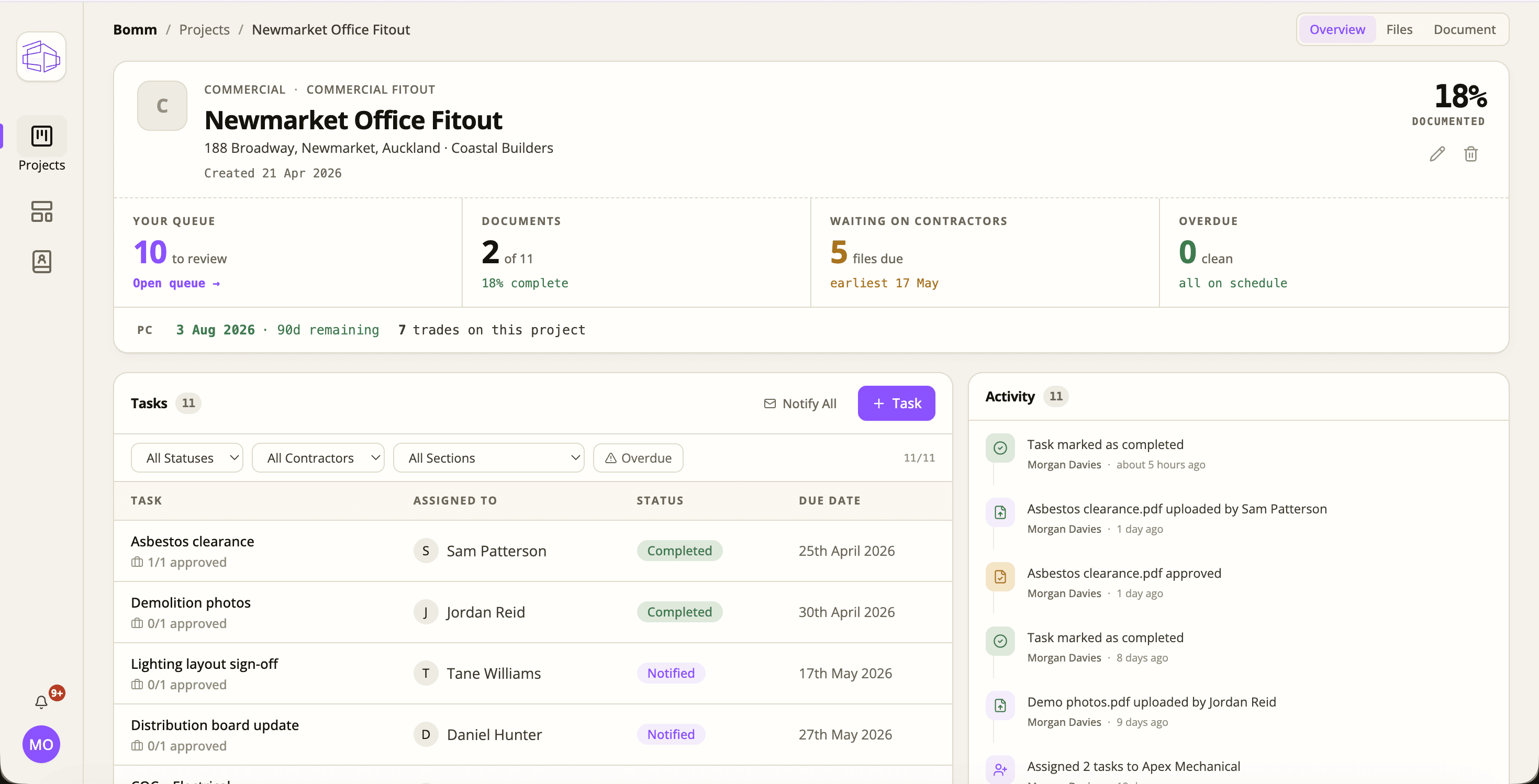
Uploads land in a queue, already sorted against the right document. Approve, reject with notes, or ask for the right version — they see the response without you picking up the phone.
At PC, generate the manual in one click. Indexed, searchable, ready for the client and their team. Filed against the project, forever.
Project managers want visibility. Subcontractors and suppliers want to be left alone to do their work. bomm gives both sides exactly what they need — and nothing they don't.
One pane of glass for every project, every trade, every outstanding document.
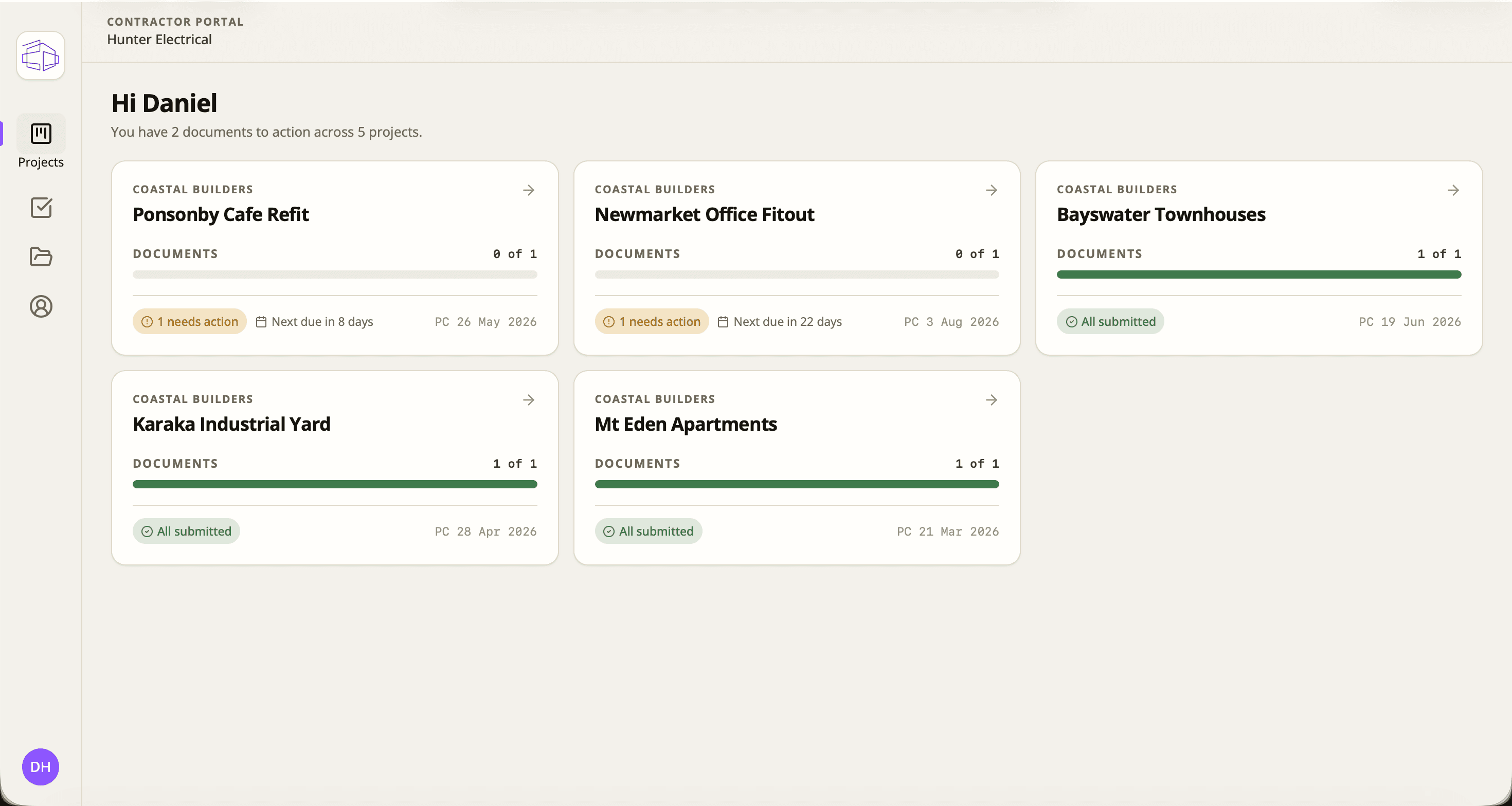
A list of what's needed and a button to upload it. That's the whole experience.
Every feature exists to remove a single email or a single phone call from your week.
Set up Residential, Commercial, Industrial — or your own. Edit once, reuse on every job.
Assign each document to a specific subcontractor or supplier, with a due date and the format you expect (PDF, photo, signed form).
Approve a file, or kick it back with a comment. They see exactly what to fix, and every action is timestamped against the person who took it.
Automatic follow-up before and after the due date, right through to overdue. You stay out of the chase.
Drop a stack of documents in and bomm reads them, works out what each one is, and files it against the right slot — so the job is a sign-off, not a sort.
One click at PC for a merged, indexed PDF — or a structured ZIP. Every document in its place, branded for your company.
If you trade under more than one ABN, manage them in a single bomm account without mixing the projects.
The trade side is built for a phone on a job site, not a desk in a head office.
Let your team focus on closing out defects, not an O&M manual. Send us your next job — we'll build the templates, set the project up and get your trades on board. The first one's on us.